Enable the camera
Toggle the camera in the popup and a draggable bubble appears on the page. Move it anywhere - it stays exactly there in the recording.
El Ojo's webcam bubble is a real on-page element you drag anywhere. In a tab recording it's captured exactly where you put it with no compositing; in window and screen recordings it's composited into the frame. AI selfie segmentation blurs or replaces your background, and because the camera is captured off-page, the bubble works even on sites that block in-page cameras.
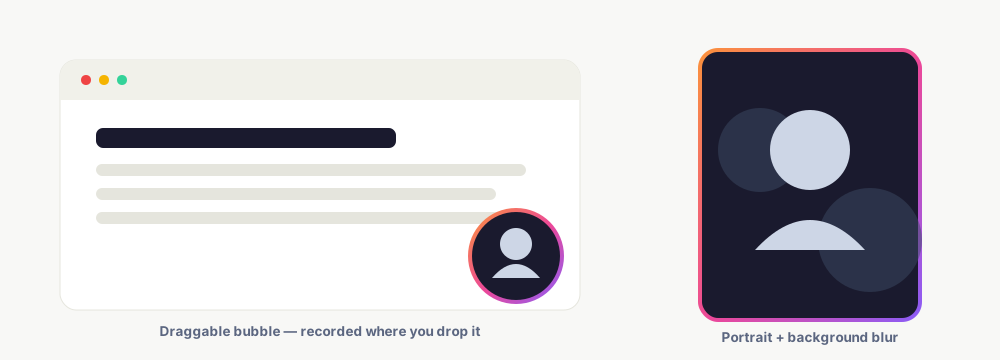
Toggle the camera in the popup and a draggable bubble appears on the page. Move it anywhere - it stays exactly there in the recording.
Turn on background blur or a background image. AI selfie segmentation separates you from behind you, in real time.
The bubble is a real on-page element, so the tab recorder captures it naturally. No compositing math, and only ever one bubble.
The webcam is captured in an offscreen document, immune to a page's Permissions-Policy. So the bubble shows even on sites that block in-page camera access.
In a tab recording the bubble is a genuine on-page element, so the capture needs no coordinate math and there's never a doubled bubble.
Real-time selfie segmentation blurs the background, fills it with a color, or swaps in an image - with a feathered, temporally-smoothed edge.
Pick the bubble shape; portrait gives a tall 9:16 card that's ready for Reels and Shorts.
Click a link mid-recording and the bubble re-creates itself on the new page - right where you left it.
Prefer just your face? Camera-only mode records the webcam full-frame for an intro or outro.
Keep exploring what El Ojo does — or see how the tiers work.
Yes. The webcam is captured in an offscreen document that isn't subject to the page's camera policy, so the bubble works even where an in-page camera would be blocked.
It's captured live - the bubble is a real on-page element that the tab recorder picks up naturally, exactly where you dragged it. No post-editing needed.
Yes - AI selfie segmentation blurs the background, fills it with a color, or replaces it with an image, in real time.
Drag it anywhere; pick circle, square, or a tall 9:16 portrait card. It records wherever you place it.
The bubble re-creates itself on the new page at the same position, so a link click never interrupts the recording.
Free Chrome extension - draggable camera bubble, background blur, and no watermark.