Free forever recorder · an AI studio that edits for you
Record once. Ship it in every language.
El Ojo records your screen and camera free — then edits itself. Cut by deleting words, caption in 99 languages, translate into any language, re-voice it in your own voice, auto-polish in one click, and share a hosted link. One tool instead of a recorder, an editor and a voiceover app.
Free extension forever No watermark Works on almost any site Your file, your storage
elj
Record. Highlight. Save it your way.
Recording source
TabWindowScreenCamera
Camera layout
BubbleSplit
Start delay
Off3s5s
Camera
Show your face in a bubble
Start recording
100+
Caption languages
AI transcription + AI correction. Urdu, Hindi, Arabic, CJK — all native.
4K
Up to 4K capture
Adaptive bitrate scales with your display, with crisp synced audio.
60s
Record to share
Stop the clip, send to Studio, get a hosted link. Under a minute.
One workflow, two products
Record free. Edit when you want to.
The extension is the recorder. Studio is the editor. They snap together with one click — or use either alone.
Free foreverChrome Extension
El Ojo Extension
Tab, window, screen or camera capture. Draggable bubble with background blur and touch-up. Highlight tools on top of the page. Save to disk or your own Drive.
Unlimited recordings, no time cap
1080p+ capture with system-audio mixing
4 modes: tab, window, screen, camera — switch live
Browser-based AI editor. Send a recording or upload a file. Cut by the word, caption and translate in every language, re-voice in your own voice, auto-polish in one click, and share a hosted link.
Four capture modes — a single browser tab, any application window, the entire screen, or a clean camera-only video message. Tab audio mixes with your microphone automatically. Add a draggable camera bubble with background blur, built-in backdrops, custom uploads, and adjustable touch-up up to a Studio preset.
When you record a window or your screen with the camera on, a floating side panel lets you switch between Screen, Camera, Portrait and Bubble layouts without stopping the recorder. One continuous .webm, no gaps, no encoder restart.
your-team.notion.site
Rec
00:42
ScreenCameraSplitBubble
02 · Highlight (Extension)
Draw on screen as you talk.
Cursor spotlight darkens everything but your point — viewers can’t miss it. Pen, arrow and circle tools in four colours. The toolbar collapses out of the way. All marks captured directly in the recording — no post-edit required.
app.dashboard.example.com
03 · Save or send to Studio
Your file. Your call.
When you stop, your .webm downloads instantly to your machine. Want a shareable link? Connect Google Drive — the file lives in yourDrive. Or click Send to Studio to open the recording in the editor, ready to trim, caption and host.
elj
Record. Highlight. Yours to keep.
✓
Recording saved
elojo-2026-05-21.webm · 4.2 MB · 1:18
Download .webm
Upload & get shareable link
Saved to your machine. Cloud upload is optional and uses your own storage.
Studio ↓
04 · Edit by the word
Cut your video by deleting words.
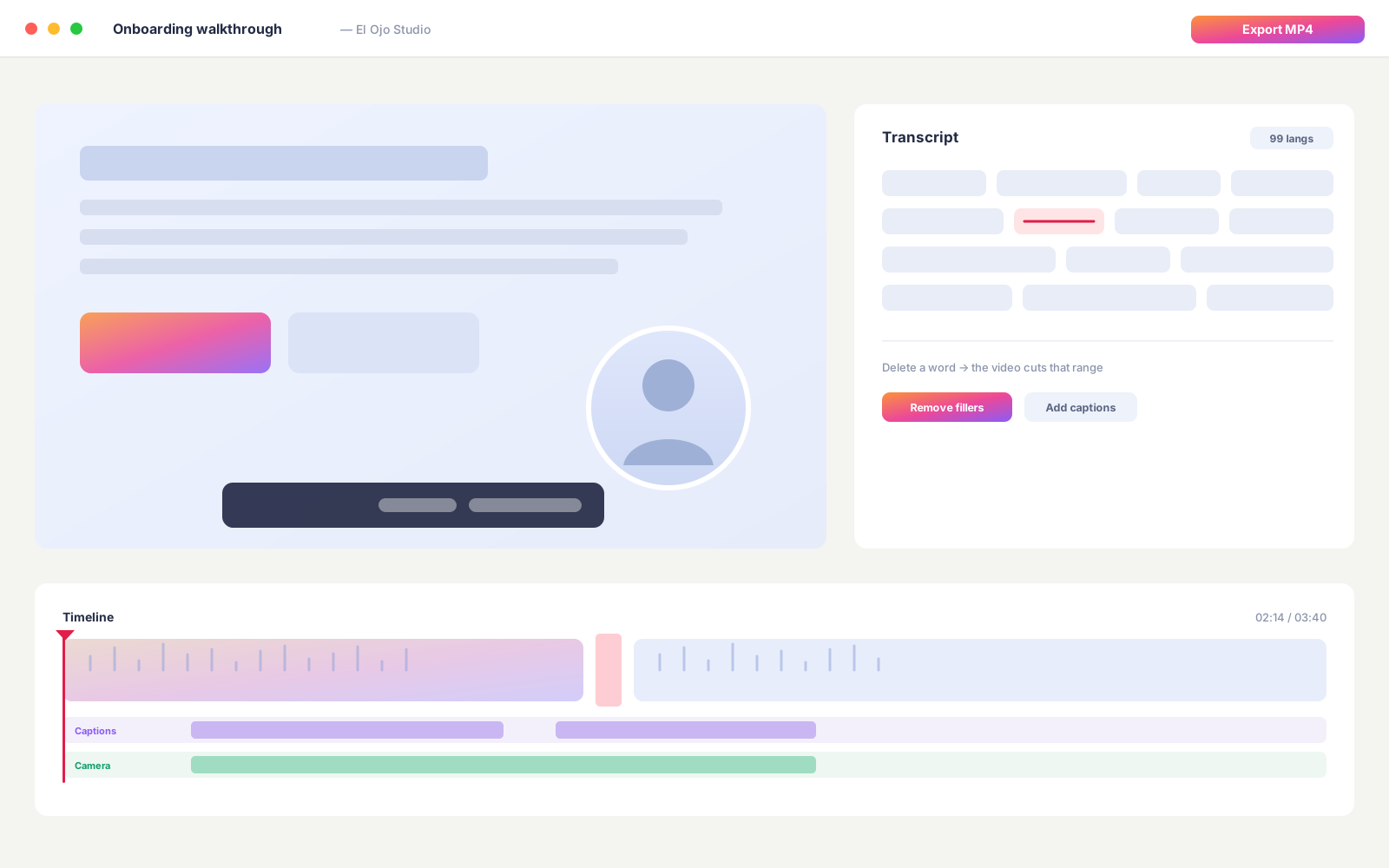
Studio transcribes every word with timestamps. Drag the trim handles to set in/out, or open the transcript and delete the filler — “um”, “you know”, the false start — and the video cuts the matching frames. Descript-style editing, zero learning curve.
Drag-to-trim with live preview
Click a word to jump there in the video
Delete a word = cut the matching range
Auto-suggest filler words and long pauses
Preview
Edit by editing the transcript
05 · Captions in any language
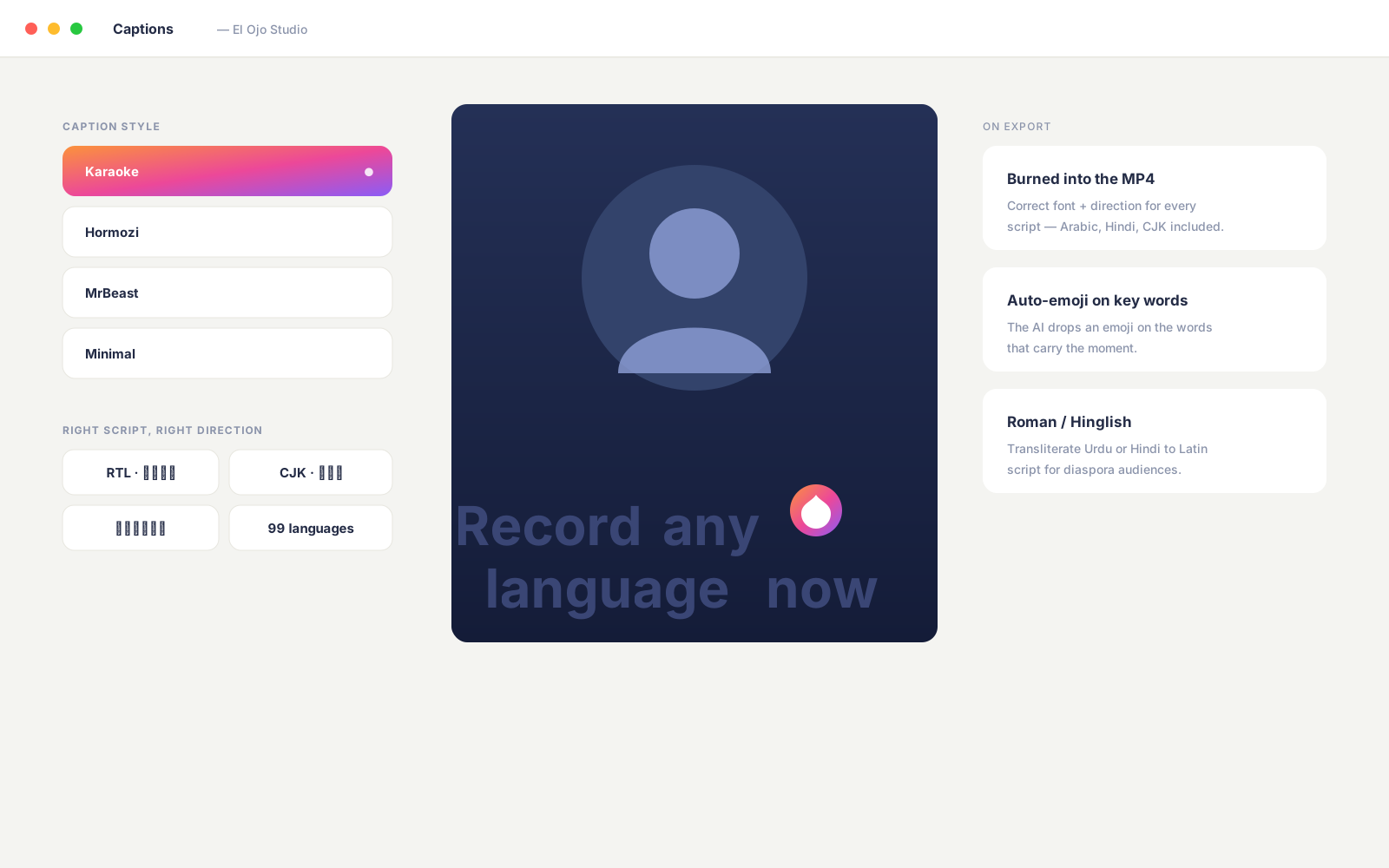
Animated captions. 99 languages. Right script, right direction.
Advanced AI speech recognition detects the language and timestamps every word. An AI language model corrects the transcript and can transliterate to Roman script (Hinglish, Roman Urdu). Pick a caption style — Karaoke, Hormozi, MrBeast, or Minimal — and Studio renders them with the right direction (RTL for Arabic, Urdu, Hebrew) and the right font for CJK or Devanagari.
4 animated caption styles
RTL + CJK + Devanagari font stack
Roman / Latin transliteration option
Auto-emoji on key words
Preview
Animated captions, 99 languages
06 · Translate & re-voice
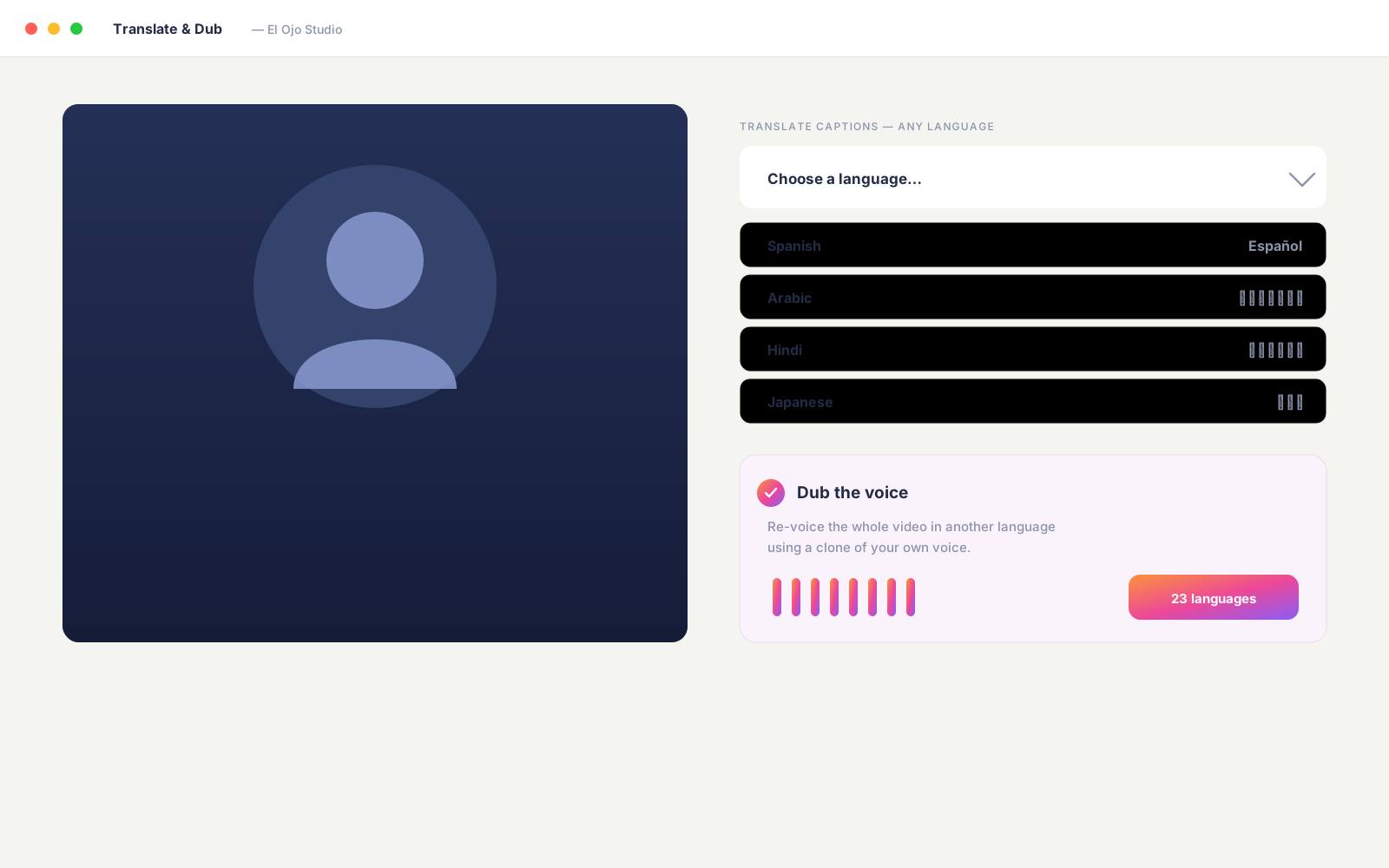
Speak every language — in your own voice.
Recorded in English? Studio can translate your captions into any language, then re-voice the whole video in your own voice — record the new voiceover yourself, or generate it with your own AI voice provider. Punch in to fix just a section, time it to your video, and review every translated line before export. No cloning, no avatars, no per-minute fees, no second app.
Translate captions into any language
Re-voice in your own voice — recorded or your own AI voice
Punch in to fix just a section
Review & edit every translated line before export
Preview
Translate your captions, then re-voice the video in your own voice
07 · Smart auto-zoom
The camera follows your cursor.
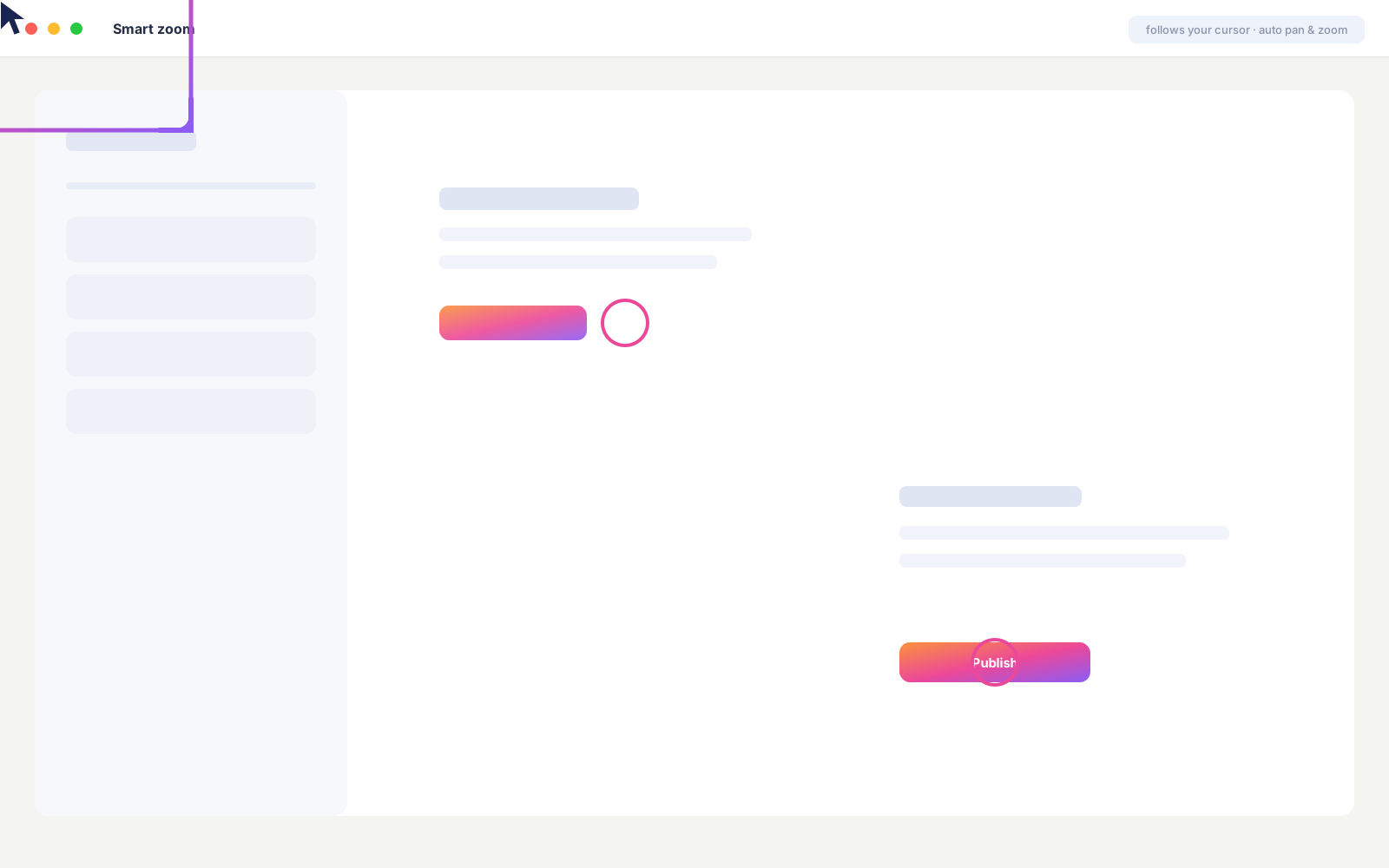
While you record a tab, the extension captures a cursor trail. Studio replays it as a smooth pan-and-zoom — the frame tracks where you click without making your viewer dizzy. On recordings without a trail (window or screen mode), drop focal points on the timeline manually and Studio renders a smooth zoom path between them.
Auto-tracks your cursor in tab recordings
Click-to-place focal points fallback
Lerp-smoothed motion, never jarring
Baked into the export at render time
Preview
Smart auto-zoom follows your cursor
08 · Share & measure
A hosted link in one click.
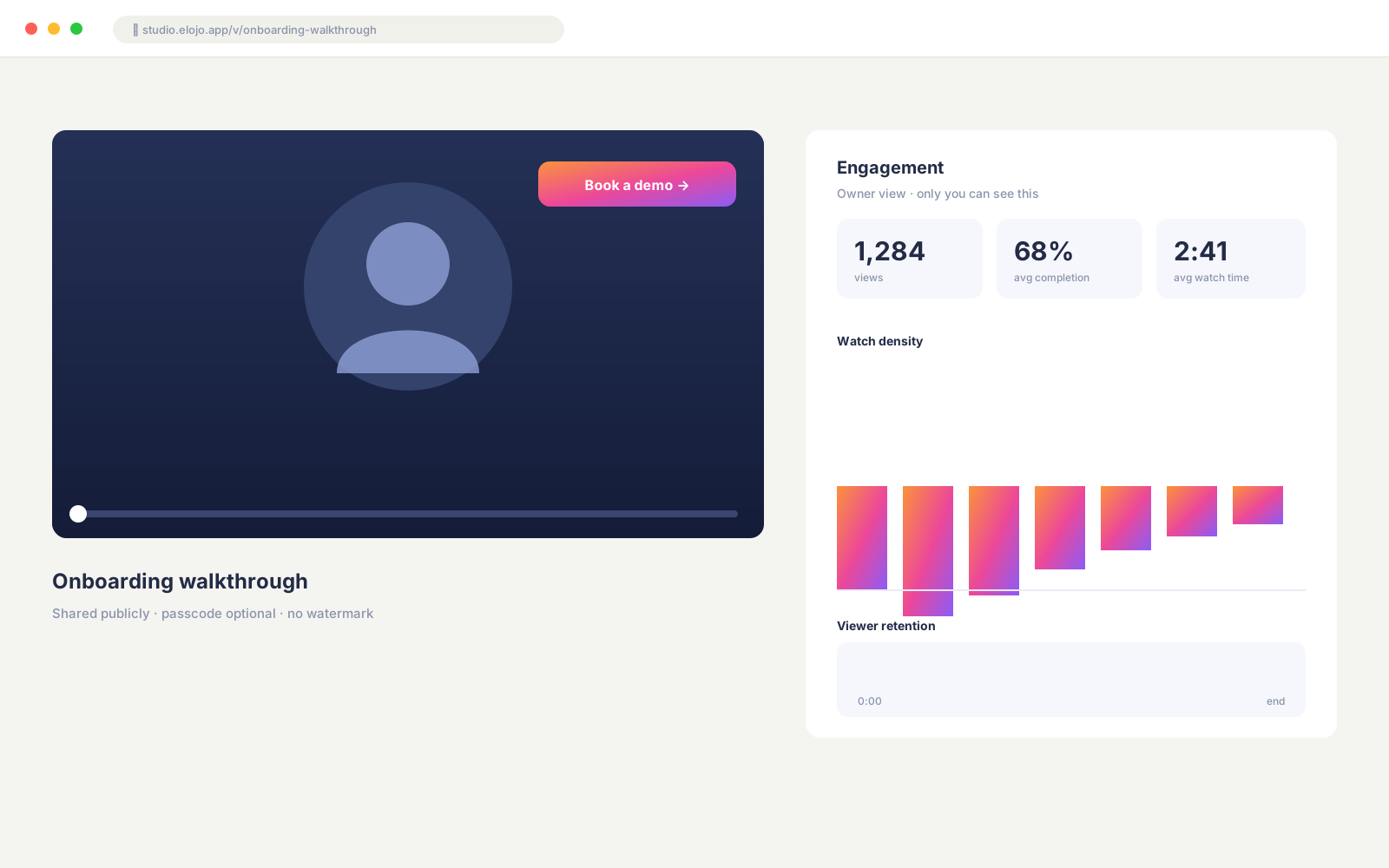
Render to MP4 and Studio gives you a clean shareable link, plus custom thumbnails, password protection, embed support for Notion / Slack / Wordpress, a CTA button on the player, and retention & drop-off analytics — see exactly where viewers drop off and which CTA actually fires.
One-click hosted player
Custom thumbnail + CTA button
Password-protected videos
Embed via oEmbed (Notion / Slack / Wordpress)
Retention + drop-off analytics
Preview
Hosted player with engagement analytics
Pricing
Start free. Go pro for less than a coffee a week.
The Chrome extension records free, forever. When you want the AI editor — delete-word cuts, captions and translation in every language, auto-polish, and hosted sharing — Studio is $9.99/mo. Add voiceover — re-voice the whole video in your own voice — with Studio Pro at $14.99/mo. Both include a 7-day free trial — one tool that replaces your recorder, your editor, and your voiceover app.
Free
$0/forever
The Chrome recorder. Record and own your videos — no account needed.
Voiceover — re-voice your whole video in your own voice, in any language
Record your own voiceover, or bring your own AI voice provider
Punch in to fix a section · review every line before export
No cloning, no avatars, no per-minute fees
Prices in USD. Studio is $9.99/month and Studio Pro (with voiceover) is $14.99/month — pay monthly or annual (save 25%), cancel anytime, with a 7-day free trial and no card charged until it ends. The Chrome extension stays free forever. Team workspaces with shared libraries and roles are coming next.
Built for
Async video, every workflow.
The same recorder and editor, dropped into the way you already work.
For engineers
PR walkthroughs & bug repro
Show the diff, talk through the trade-off, attach the link to the PR. Spot a bug in staging? Hit record, reproduce, annotate, paste the Studio link into the ticket.
For customer success
How-tos & onboarding
Reply with a 60-second video instead of a wall of text. Spotlight the button, narrate the click, send the Studio link with auto-generated captions in the customer’s language.
For educators
Lessons & code reviews
Record a coding session, let Studio transcribe and caption, share the playlist with a class. Smart zoom follows your cursor so everyone sees what you click.
For sales & founders
Personal demos & follow-ups
A live tab, your face in the corner, three minutes of signal — sent before the next meeting. CTA on the player drives the call-to-action. Team analytics show who actually watched.
What’s in the box
Every feature, named.
One-click Auto-polish
Trims dead air and filler, adds cinematic cursor zoom and animated captions — a finished cut in a single tap.
Cut by deleting words
Edit the video by editing the transcript. Delete a word, the clip shortens — the cut is struck through in the script.
Auto-remove dead air
Find and cut silences, filler words, buffers and repeated takes automatically — or mark any section by hand.
Screen + camera layouts
Side-by-side, presenter, bubble, screen-only or camera-only. Drag and resize the camera anywhere on the frame.
Image & video overlays
Float a logo, screenshot, graphic or clip on your video. Drag to place — pull its timeline edges to set how long it shows.
Effects & highlights
Spotlight, blur, boxes, text and speech bubbles, plus pen and arrow — each timed to its own moment.
Backgrounds
Float the recording on a color, gradient or image canvas — a polished frame in one click.
4 animated caption styles
Animated captions in 99 languages with per-word highlight. Change color and font, and drag them anywhere on the video.
Translate captions
Turn your captions into any language, reviewed line by line, then burned into the exported video.
Re-voice in your own voice
Re-voice your video in any language using your own voice — record it yourself, or generate it with your own AI voice provider, timed to your video.
Smart cursor zoom
A cinematic pan-and-zoom that follows your clicks — Screen-Studio style, baked into the export.
Voice enhance & cleanup
Live studio presets while you play, plus AI denoise and broadcast-standard loudness on export.
AI tools
Chapters, Magic Clips and AI Repurpose — titles, summary, social posts and a blog draft from one recording.
Camera bubble & blur
Selfie-segmented webcam with background blur or replace, in circle, square or portrait — drag it anywhere.
Switch modes mid-record
A floating panel flips layouts on the fly. Same continuous file, no encoder restart.
Import & stitch media
Bring in your own clips, stitch them onto the timeline, or float them as an overlay.
Hosted shareable link
Render to MP4, get a clean URL — with password, call-to-action, custom thumbnail and embed support.
Drive & Studio handoff
Save to your own Drive with the narrowest access scope, or send to Studio with one click.
No time limit, no watermark
Record for as long as you need, free — tested past three hours in a single session.
Studio, panel by panel
See where the magic happens.
Record in the browser, then every tool sits one click away in the editor rail.
Record in your browser
Screen + camera, live blur, quality up to 4K — no install for the studio recorder.
Cut the dead air
Auto-remove silences, filler words, buffers & repeated takes — or cut any section by hand.
Arrange the layout
Side-by-side, presenter, bubble, screen or camera — drag & resize, zoom per chunk.
Highlight & draw
Spotlight, blur, boxes, text and bubbles, plus pen and arrow — each timed to its moment.
4 animated caption styles
Per-word highlight, your color & font, drag them anywhere — translate them from here too.
Studio-clean voice
Live enhance presets while you play, plus AI denoise + broadcast loudness on export.
AI tools
Chapters, Magic Clips & AI Repurpose, plus camera jumps, B-roll & auto-zoom on export.
Import, stitch & overlay
Bring in your own clips, stitch them on the timeline, or float a video or image as an overlay.
The complete list
Everything El Ojo does.
One tool from record to share — no Loom, Descript and a voiceover app stitched together.
Record — free extension
Record a tab, window, full screen, or just your camera
Draggable camera bubble with background blur or replace
Camera shapes: circle, square, portrait
Live layouts: bubble, portrait, split, screen, camera
Draw & highlight on screen while you talk
Add your logo — drag to place & resize
Live voice enhancement — denoise + studio EQ
Teleprompter notes while you record
Floating controls that stay visible as you present
No time limit, no watermark, up to 4K
Instant share link, save to your Drive, or send to Studio
Edit — Studio
Cut your video by deleting words in the transcript
The extension records locally. The file goes from your browser to your machine, your Drive, or your Studio account — never through an intermediary. Studio stores your videos in secure cloud storage with end-user-bound access; nothing is public unless you click Share.
Local-first extension
The extension itself has no backend. The Studio backend only sees what you explicitly send.
Narrowest Drive scope
drive.file — El Ojo can only see files it creates, never your existing Drive contents.
Open and auditable
The full extension source is on GitHub. Read it, audit it, fork it — nothing is hidden.
Frequently asked
No fine print.
Is the extension really free?
Yes. The Chrome extension is free forever - record, download, and save to your Google Drive with no tiers, no watermarks, no time caps. Studio (the editor + hosted sharing) is a 7-day free trial, then a subscription - but the extension itself stays free regardless.
What's the difference between the extension and Studio?
The extension records. Studio edits, transcribes, captions, and hosts the shareable link. You can use the extension alone, save to disk or Drive, and never touch Studio. Or send a recording to Studio in one click when you want to polish or share it.
Where are my recordings stored?
Extension recordings live on your machine when you click Download, or in your own Google Drive when you Connect Drive. If you send a recording to Studio, it's stored in Studio's secure cloud storage, scoped to your account - nothing public unless you click Share.
What languages does Studio caption and translate?
Captions cover 99 languages via advanced AI speech recognition, with optional AI correction and Roman-script transliteration (Hinglish, Roman Urdu). You can also translate your captions into any language. Captions render in the right direction (RTL for Arabic, Urdu, Hebrew) with the right font for CJK and Devanagari.
Can El Ojo re-voice my video in another language?
Yes - in your own voice, not a synthetic clone. Translate your captions into any language, then re-voice the whole video: record the new voiceover yourself, or generate it with your own AI voice provider (bring your own key). Punch in to fix just a section, time it to your video, and review every translated line before you export. No avatars and no per-minute fees.
How does Studio pricing work?
Two simple plans, each with a 7-day free trial (no card charged until it ends). Studio is $9.99/month: the full AI editor - delete-word cuts, Auto-polish, animated captions in 99 languages, caption translation, audio cleanup, AI repurpose, 4K export, and hosted sharing with analytics. Studio Pro is $14.99/month: everything in Studio plus voiceover - re-voice your whole video in another language in your own voice, either by recording it yourself or generating it with your own AI voice provider. Pay monthly or annually (save 25%) and cancel anytime. The Chrome extension stays free forever, and every account also gets a small free taste of Studio each month.
How long can I record?
Extension: as long as you want, no built-in cap. Studio editing has no length limit either - exports and AI actions just draw on a generous daily credit allowance that resets each day.
Will it slow down my browser?
No. Recording runs in a separate Chrome offscreen document, so the tab you're capturing stays responsive. The camera bubble uses hardware-encoded WebRTC on supporting hardware.
What can I capture?
Four modes: a single browser tab (with tab audio), any application window, your whole screen (with optional system audio), or just your camera as a clean video message. Pick at start, and when recording a window or screen with the camera on you can switch between Screen / Camera / Portrait / Bubble mid-recording.
Can I show my face while screen-sharing?
Yes - the camera bubble is a draggable on-page element with selfie-segmentation background blur, built-in backdrops, custom uploads, and adjustable touch-up up to a Studio preset.
Do I need an account for the extension?
No signup, no email. Install the extension and hit record. Studio requires an account (free 7-day trial) so we can store your projects.
Which browsers work?
Chrome, Edge, Brave, Arc - any Chromium-based browser that supports Manifest V3 extensions. Studio works in any modern browser.
Can I cancel my Studio subscription?
Yes, anytime. Your recordings stay yours - download them as MP4 anytime, and even after canceling you keep the free Chrome extension (record, download, and Google Drive).
Ready to record?
Install the extension and you’ll be recording in under a minute. Studio is one click away when you want to edit.
 Preview