Record as usual
Capture with whatever mic you have - a laptop, earbuds, or a USB mic. The cleanup runs later, so you don't have to get it perfect live.
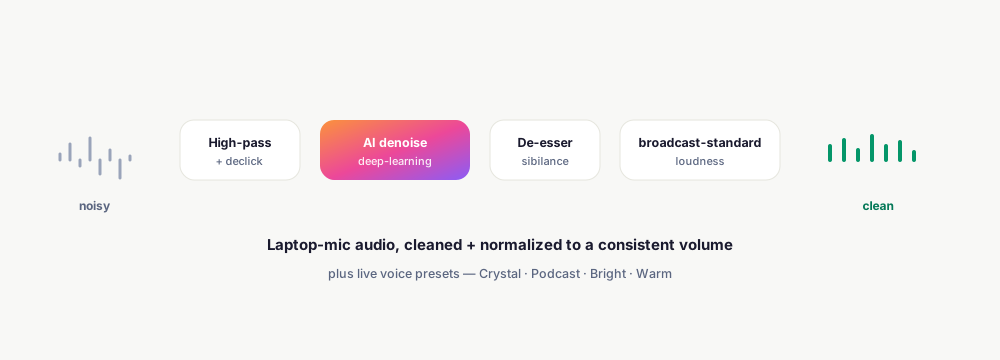
El Ojo Studio removes background hum, clicks, and sibilance and normalizes loudness - so every video sits at the same, clean volume. Plus a live voice pass (AI noise suppression + EQ + compression) you can hear as you play, with one-click presets.
Capture with whatever mic you have - a laptop, earbuds, or a USB mic. The cleanup runs later, so you don't have to get it perfect live.
Choose a live voice preset - Crystal, Podcast, Bright, or Warm - and hear the AI noise suppression, EQ, and compression applied instantly as you play.
On export, the full pipeline runs: high-pass, declick, AI denoise, de-ess, and broadcast-standard loudness normalization - mirrored to match the preview.
Each stage is best-effort and independent, so a missing filter never fails your export.
Deep-learning denoise removes broadband hum and non-stationary noise, with a built-in classic denoiser as a fallback where the model isn't available.
A high-pass clears low-end rumble and a declicker removes mouth clicks and pops - run before the denoiser so it doesn't waste capacity on them.
Tames harsh “s” and “sh” sounds, with an adjustable amount.
Normalizes every video to a consistent loudness target and reports the measured loudness + noise floor - no more volume jumps between clips.
A live in-browser pass (AI noise suppression + EQ + compression) with Off / Crystal / Podcast / Bright / Warm presets you hear as you play.
The live voice pass is mirrored on export, so the polished sound you hear in the editor is the sound in your downloaded file.
Keep exploring what El Ojo does — or see how the tiers work.
Background hum and broadband noise (AI denoise), low-end rumble (high-pass), mouth clicks and pops (declick), and harsh sibilance (de-esser).
No - the cleanup is designed to make a laptop or earbud mic sound clean. A better mic still helps, but it's not required.
A deep-learning denoiser removes broadband and non-stationary noise. If it isn't available on a given render, El Ojo automatically falls back to a built-in classic denoiser.
A live in-browser pass - AI noise suppression plus EQ and compression - with Crystal, Podcast, Bright, and Warm presets (or Off). You hear it while you play, and it's mirrored on export.
Yes - broadcast-standard loudness normalization targets a consistent loudness, so clips don't jump in volume.
Record with the free extension, then clean it up in one click in Studio.