AI transcribes
Audio is extracted to 16 kHz mono and sent to our AI speech engine. It returns every word with a timestamp, per-word confidence, and the detected language.
El Ojo Studio transcribes your recording with advanced AI speech recognition and timestamps every word. Then it works like Descript: click a word to jump there, and delete a word to cut that moment out of the video. Optional AI clean-up, Roman/Hinglish output, and mixed-language support.
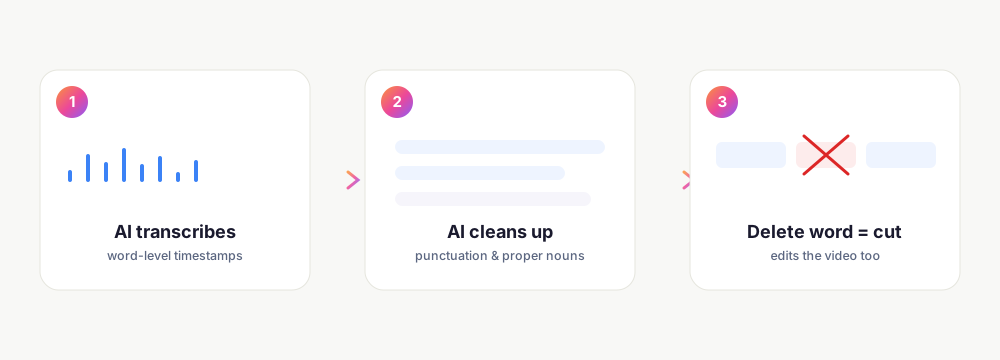
Audio is extracted to 16 kHz mono and sent to our AI speech engine. It returns every word with a timestamp, per-word confidence, and the detected language.
Turn on correction and an AI language model fixes punctuation, casing, and misheard terms per segment - especially useful for Urdu, Hindi, and Pashto.
Click a word to seek to it. Delete a word and the render skips that exact range - cut filler, mistakes, and pauses by editing text. Undo with Cmd/Ctrl-Z.
Everything below is built in - not a third-party add-on.
Word-level timestamps and confidence scores. Auto-detects the language, or pin it for higher accuracy on Urdu, Hindi, and Pashto.
Opt-in, deterministic per segment. Fixes punctuation, casing, and proper nouns so the transcript reads like a person wrote it.
Convert an Urdu or Hindi transcript to Roman/Latin script - “Roman Urdu” and “Hinglish” - for audiences who speak the language but don't read the native script.
For videos that switch languages mid-sentence, each pause-delimited chunk is transcribed in its own auto-detected language, then merged.
Removing a word marks its time range as a cut; the exported MP4 skips it. Add the word back and the cut is undone.
The transcript panel flags filler words and long silences so you can trim them in a click - the same detection the Cut panel uses.
Keep exploring what El Ojo does — or see how the tiers work.
It uses advanced AI speech recognition with word-level timestamps and per-word confidence. Language is auto-detected; you can also pin it for higher accuracy on Urdu, Hindi, or Pashto.
The AI speech engine handles them well, and the optional AI correction pass fixes punctuation, casing, and misheard terms per segment - which noticeably improves those languages.
Yes. Deleting a word marks its timestamp range as a cut, and the exported video skips that range. Add the word back and the cut is removed - non-destructive.
El Ojo can transliterate an Urdu or Hindi transcript into Roman/Latin script, so people who speak the language but read English still follow along.
Turn on code-switch mode and each pause-delimited chunk is transcribed in its own auto-detected language, then merged into one transcript.
Yes - edit words directly in the transcript panel; corrections keep their timing, and Cmd/Ctrl-Z undoes the last change.
Record with the free extension, open it in Studio, and edit the video by editing the words.